

What is this review about?
This review [by Dirk E. aka Xsample, from Amazona.de] will primarily focus on the differences between the new and first versions of the OXI One. We will compare the hardware and software and also examine the user interface. This will answer questions like: "Will I have to drastically change the way I use the device if I upgrade the hardware?" and "Is an OXI One MKII even worth it for me if I already own the first version?" But first, as always, let's answer the mother of all questions:
What is the OXI Instruments OXI One MKII?
The OXI One MKII is a very powerful sequencer system that can serve both as a control center for managing complex setups in the studio and as a versatile live performance tool for musicians and producers.
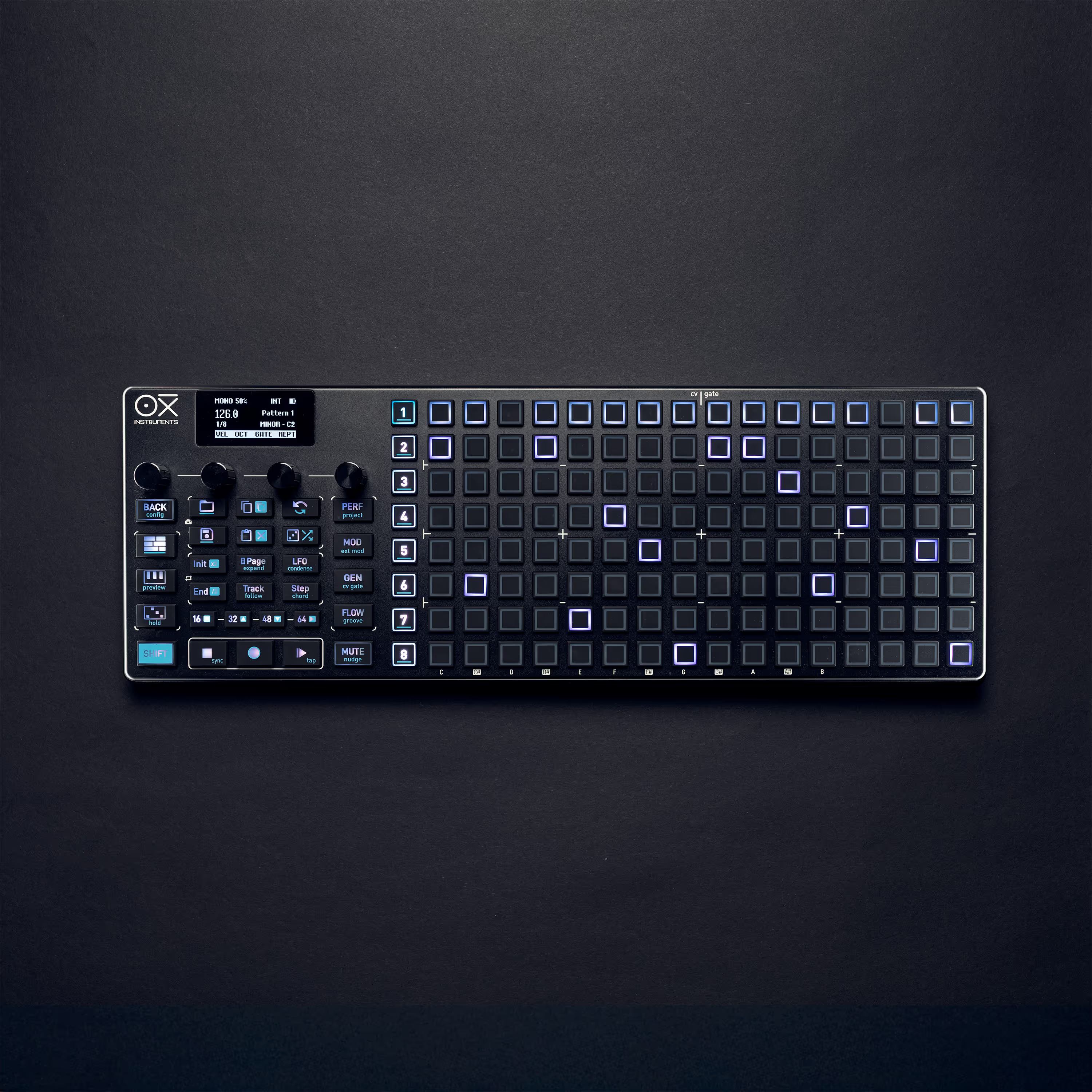
It offers up to eight independent sequencers that can control your equipment via MIDI (DIN5/USB/Bluetooth) or CV/GATE in various modes (Mono, Multi, Poly, Chord, Stochastic and Matriceal).
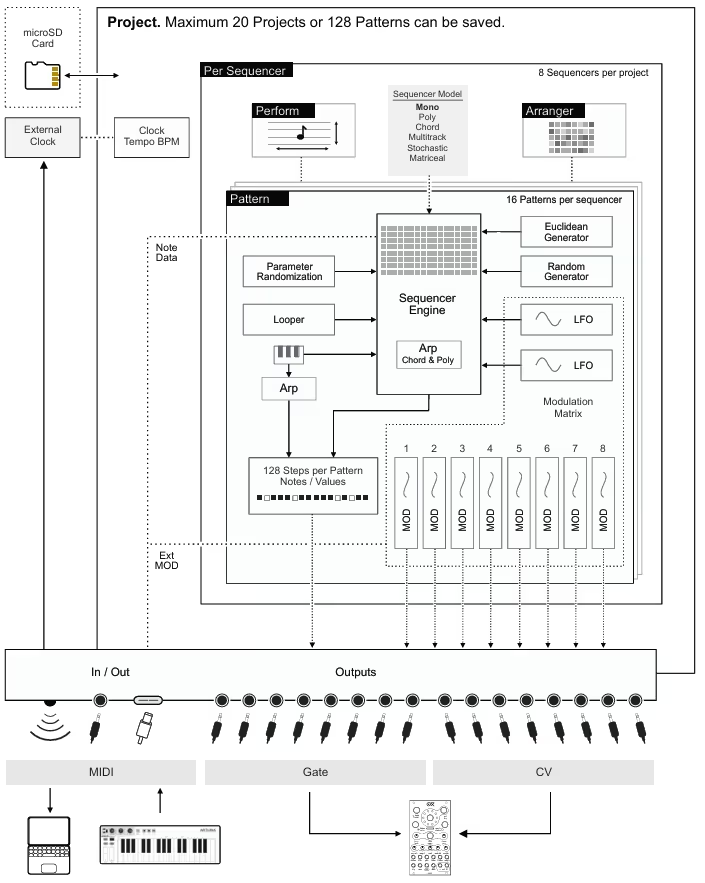
Highlights of the extensive feature list include the new innovative Performance and FLOW modes, the Accumulator and Repeat engine, significantly expanded internal storage, and of course, the microSD card slot.

Manuel, the creative mind behind OXI Instruments, answered my question "What was the motivation behind wanting to surpass such a truly great device as the OXI One?" with a clear list:
- More sequencers
- More memory for more parameters per step
- SD card slot for unlimited storage space
- Full key illumination
- More function keys for direct access
And he adds: "The OXI One MKII now has four times more RAM and twice the processor performance." That sounds like fulfilling customer wishes, doesn't it?
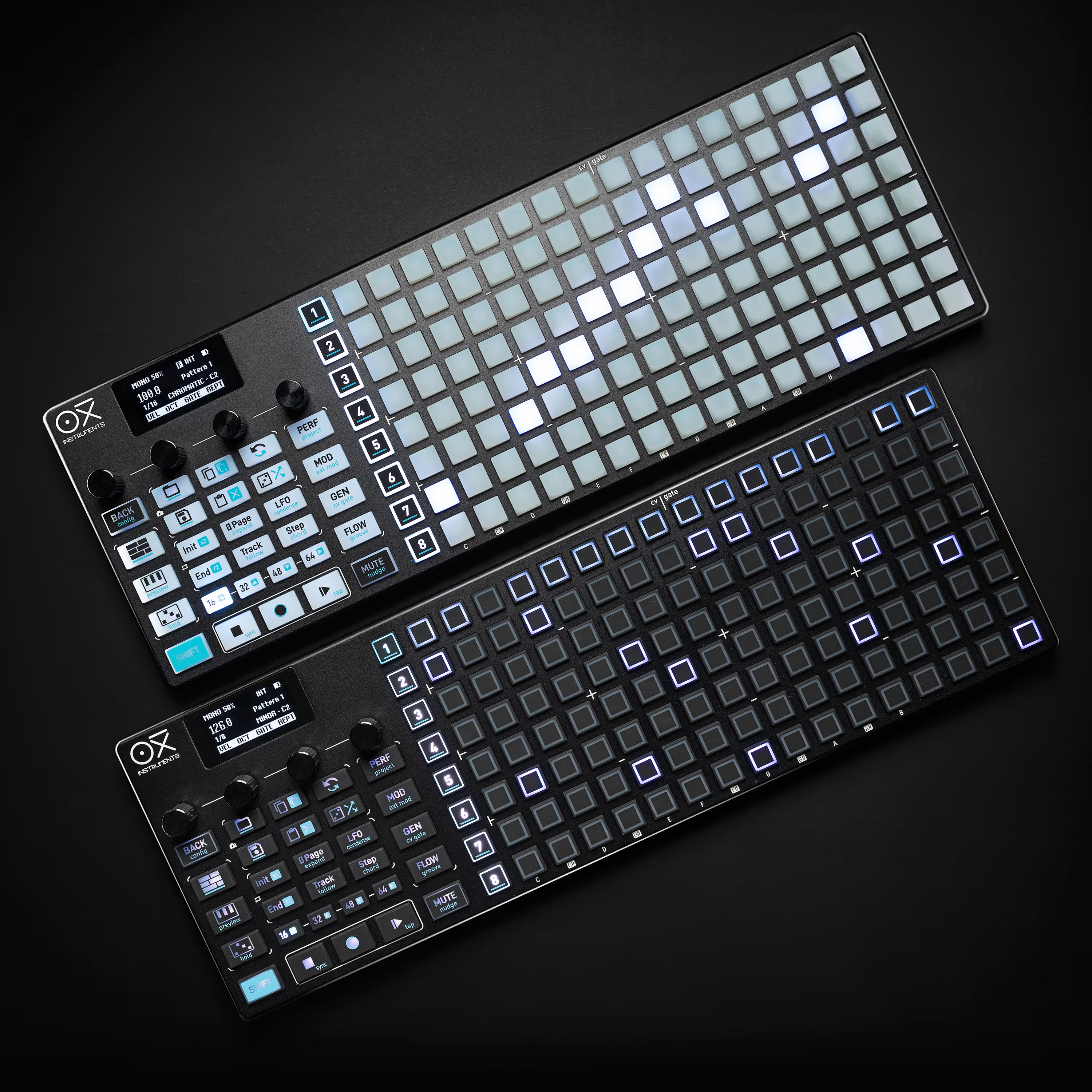
The OXI One MKII is available in two versions: the Nostalgia version with light-colored buttons and the Black Edition with a completely dark design. The choice is purely a matter of personal preference; technically, both versions are identical.
Overview of the OXI One MKII
Like the first version, the OXI One MKII also comes in its perfectly fitted travel case. Inside, we also find a USB Type A to USB Type C cable, a MIDI TRS adapter cable (Type A), a pre-installed microSD card, and a quick start guide.

The comprehensive manual for the OXI One MKII is available for download in English on the website, and I think it is really well structured and easy to understand; the people at OXI Instruments have clearly put a lot of effort into it.
The pretty sticker that I found included with the OXI One back then is not there this time, but everything necessary for a successful start to the test is still there.
The feel of the OXI One MKII
As we're peeling the OXI One MKII out of its pretty travel case, let's take a look at its feel.
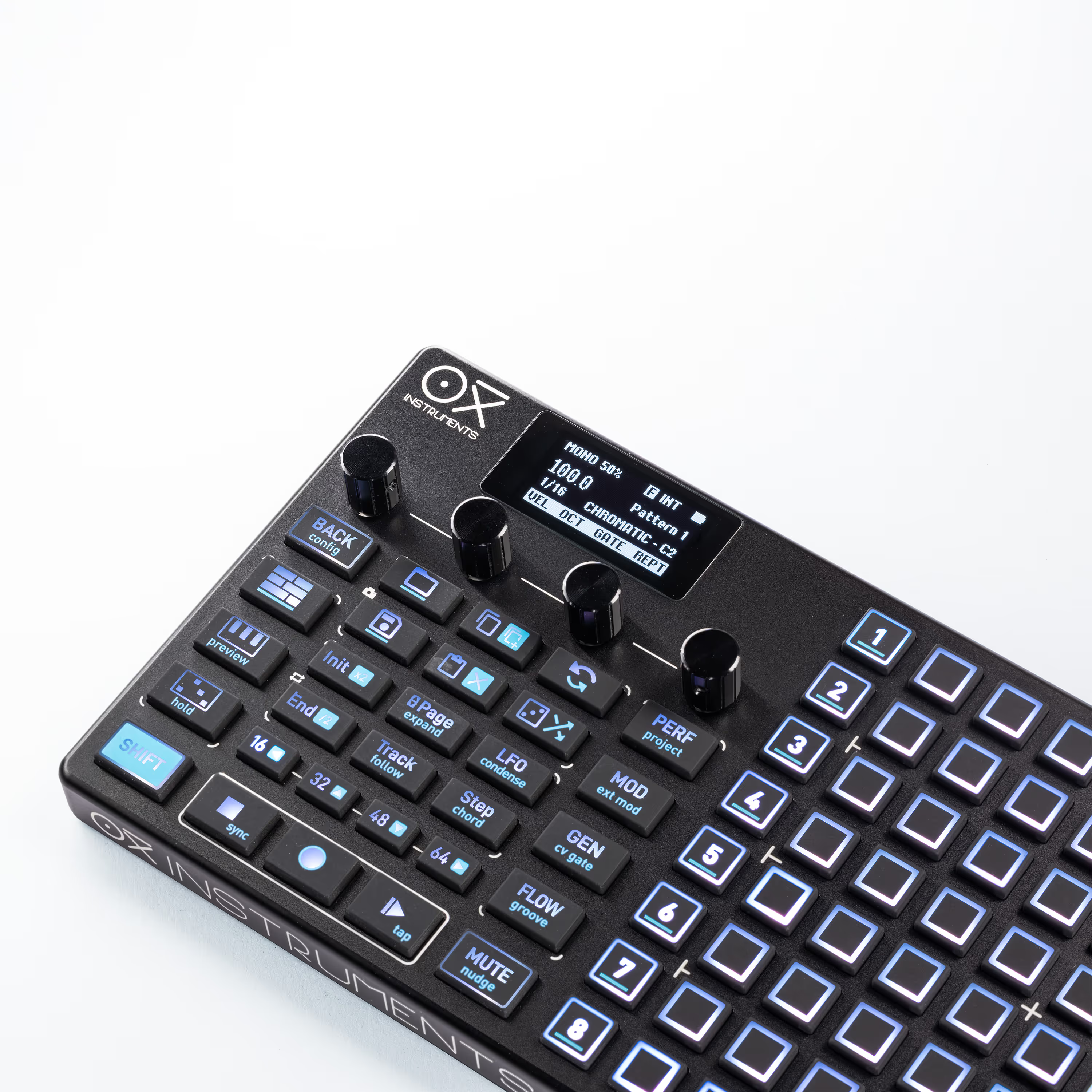
At first glance, it appears light and delicate. You wouldn't guess that this handsome workhorse is only 50 grams away from a full kilogram, and you're accordingly surprised when you first pick it up.
Here I experience a perfect sense of déjà vu, and therefore I can thankfully keep this very brief, because the MKII fully lives up to all the positive points mentioned in the OXI One review. In short: I have absolutely no complaints about the feel of the OXI One MKII and, just like its predecessor, I award it full marks!
Optical comparison: OXI One vs. OXI One MKII
In this section, we want to find out where the obvious differences between the OXI One MKII and its predecessor lie. The best way to do this is probably to compare them directly side by side.
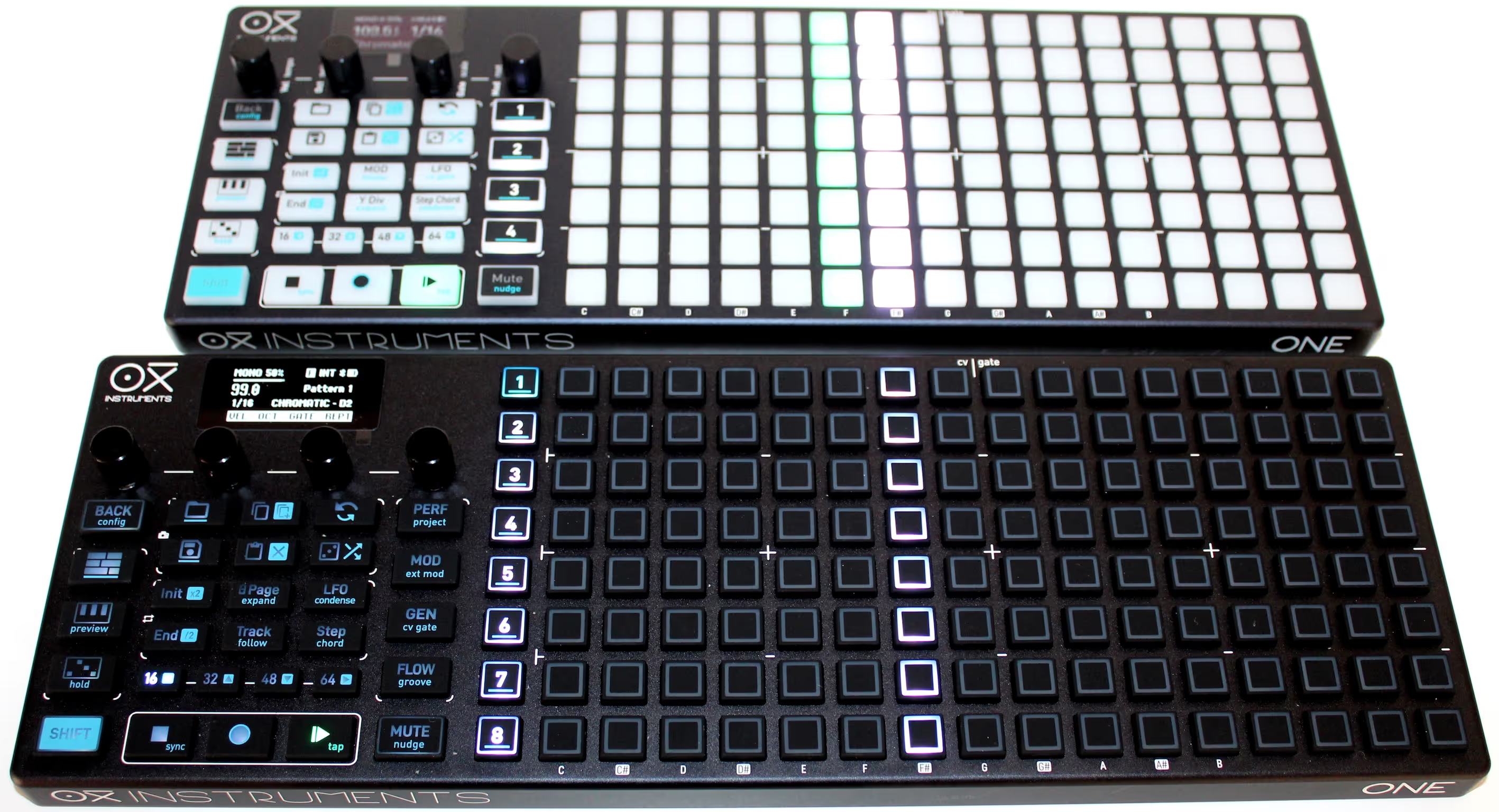
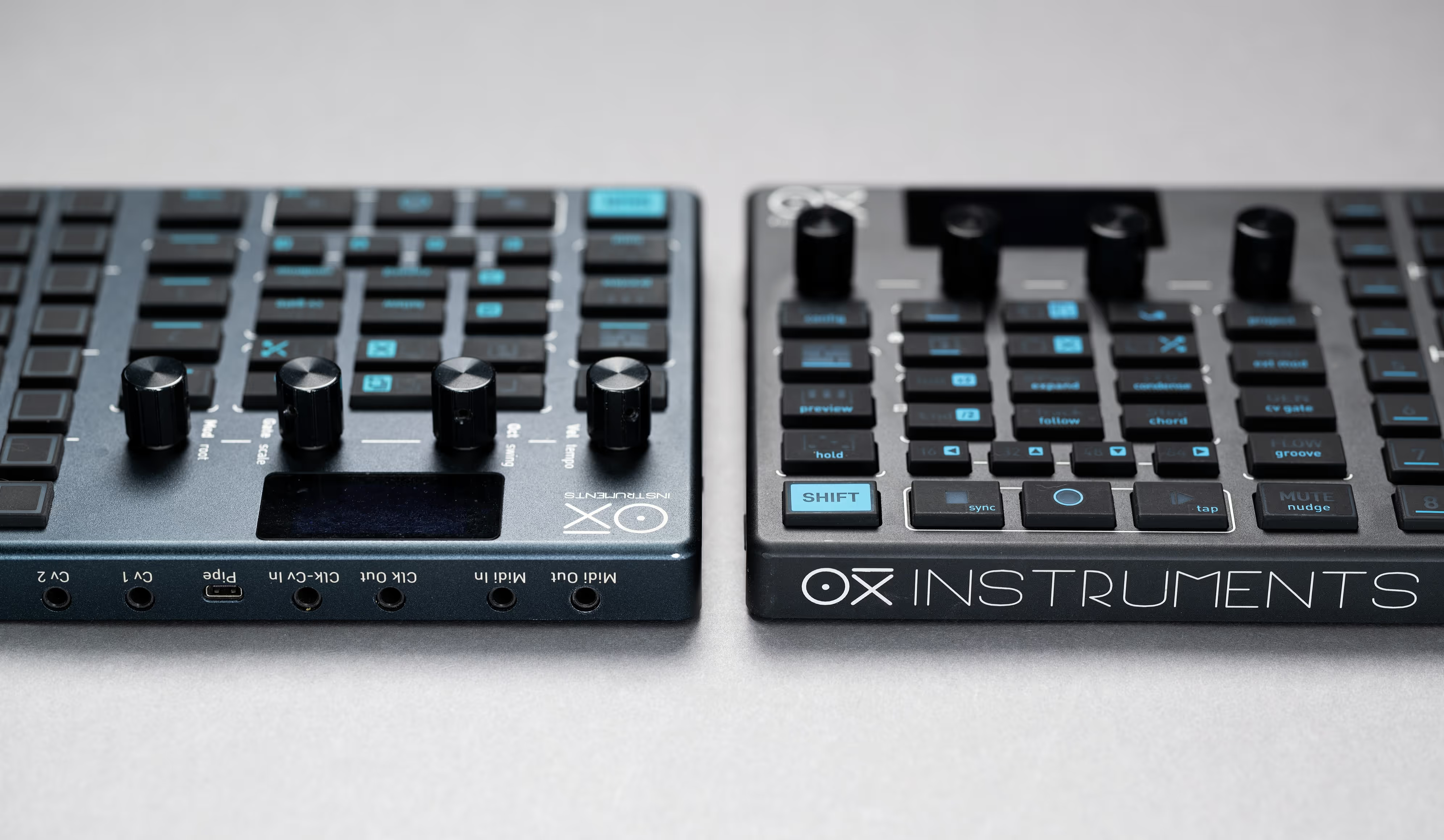
Wait a minute! Who shrunk my OXI One? Haha! It's become the MKII! Because of some design changes, it had to be slightly wider – 15 mm to be exact. The dimensions of the OXI One MKII are now 37.5 cm (width) by 13 cm (depth) and, including the controls, just under 3 cm high.
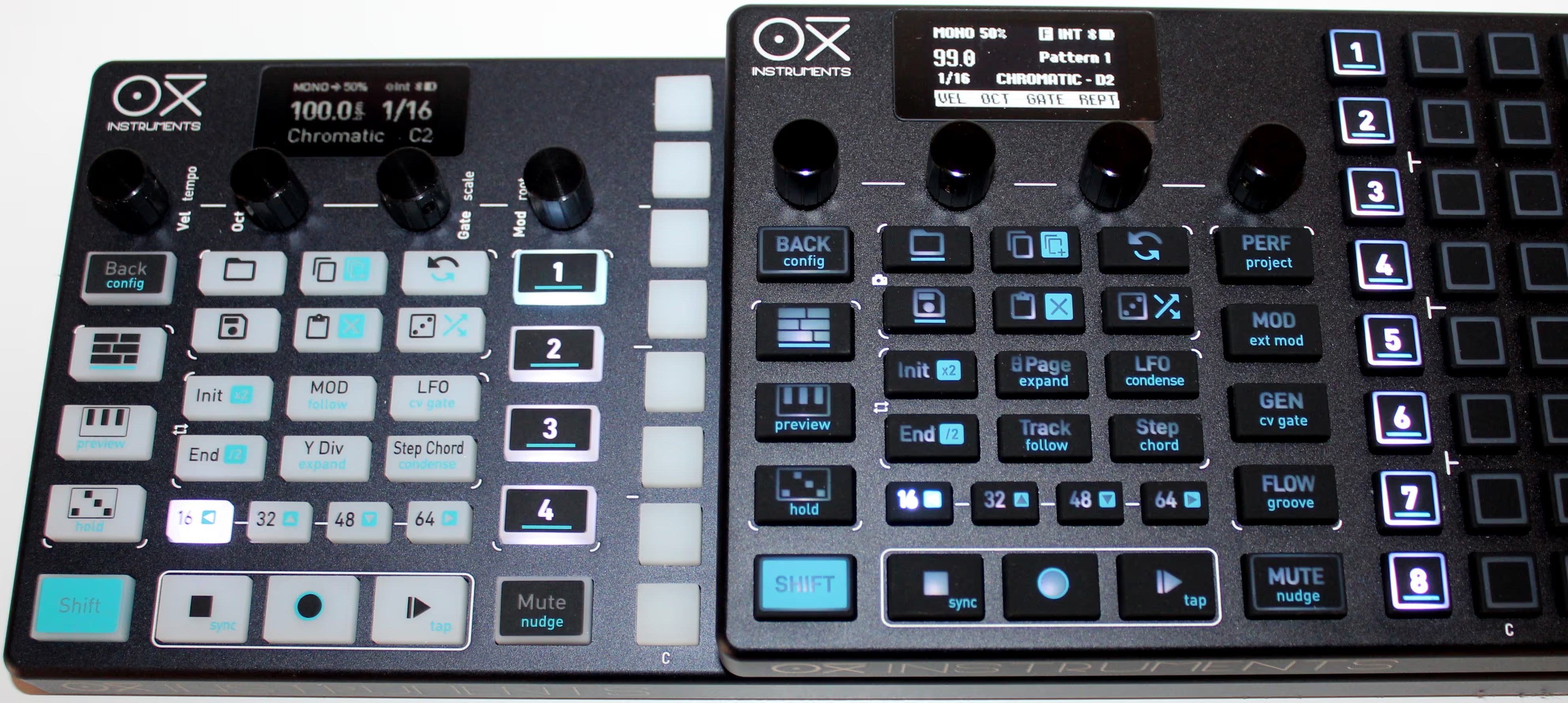
The eight new selection buttons for the sequencer slots are largely to blame for the mutation, as they have now moved to the left edge of the 8×16 grid and have freed up their position for four direct selection buttons for various functions.
The new edition of the OXI One in MKII guise was given a larger and brighter OLED display that is clearly and distinctly readable from any viewing angle and responds immediately to operation on the OXI One MKII.

Comparing the left side of the two machines, we can now see a microSD card slot on the OXI One MKII, which now offers virtually unlimited additional storage space for your creations, templates, grooves and scales.

Regarding the connections, the new miniHDMI connector for the OXI Pipe MKII should also be mentioned, which replaces the old microHDMI connector for the first generation OXI Pipe.
And another detail catches the trained eye: While the first OXI One combined the Clock and CV In inputs on one jack, the MKII now has separate jacks for these.
Fun fact: During the photo shoot for the comparison pictures, I accidentally pressed the play button on the OXI One MKII and was surprised to find that the first-generation OXI One also started playing immediately. It worked the other way around, too. The two devices were practically connected by an invisible bond, and I now had a whopping twelve sequencer slots at my disposal—amazing!
Technical differences
As mentioned previously, the key innovations of the OXI One MKII include the new, now twice as fast CPU and the internal memory, which has been increased fourfold. This was certainly the prerequisite for doubling the number of sequencer slots from four to eight.
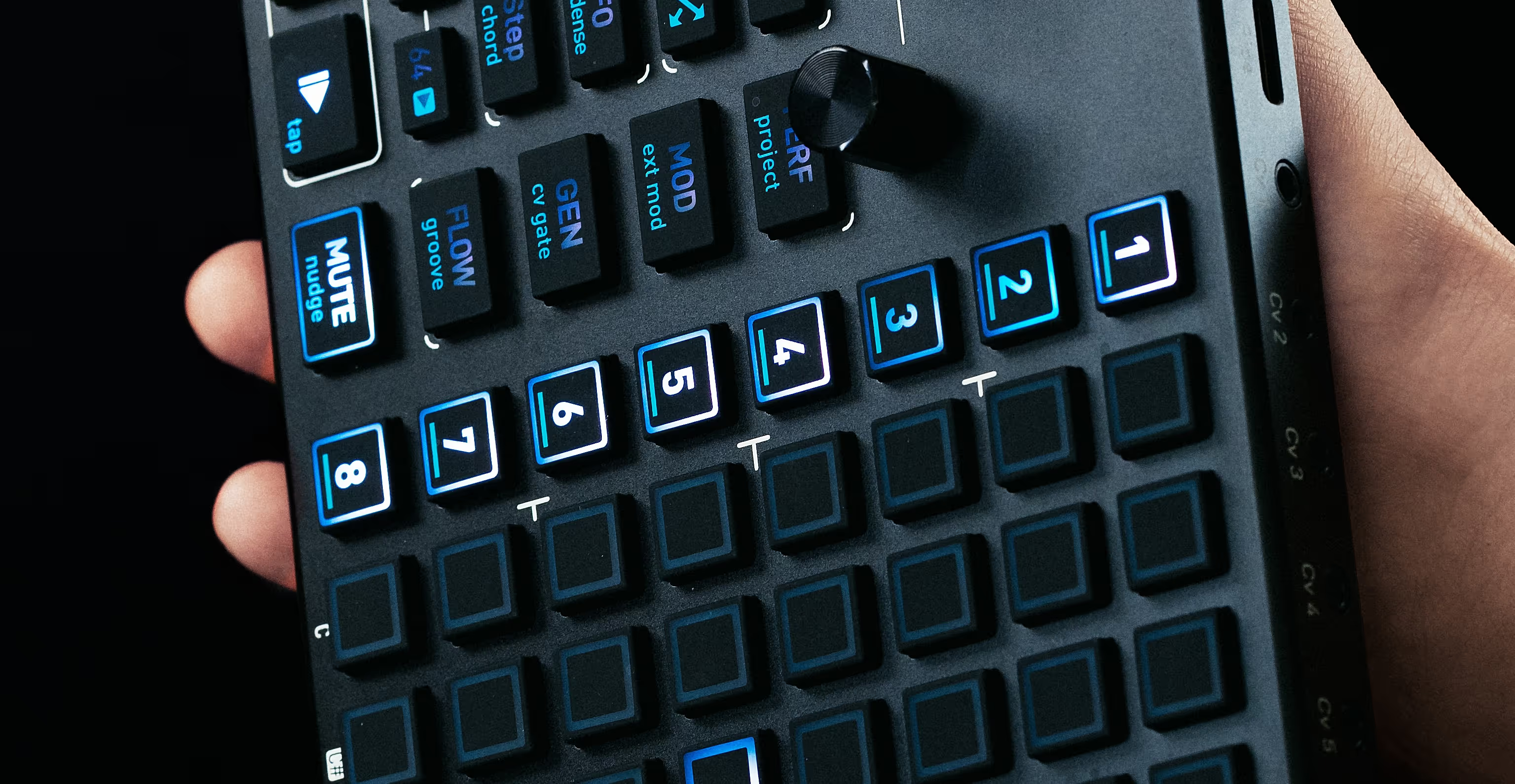
On the first-generation OXI One, the four buttons for selecting the sequencer slots were integrated directly into the control panel to the left of the grid. These four buttons have now been replaced by function keys.
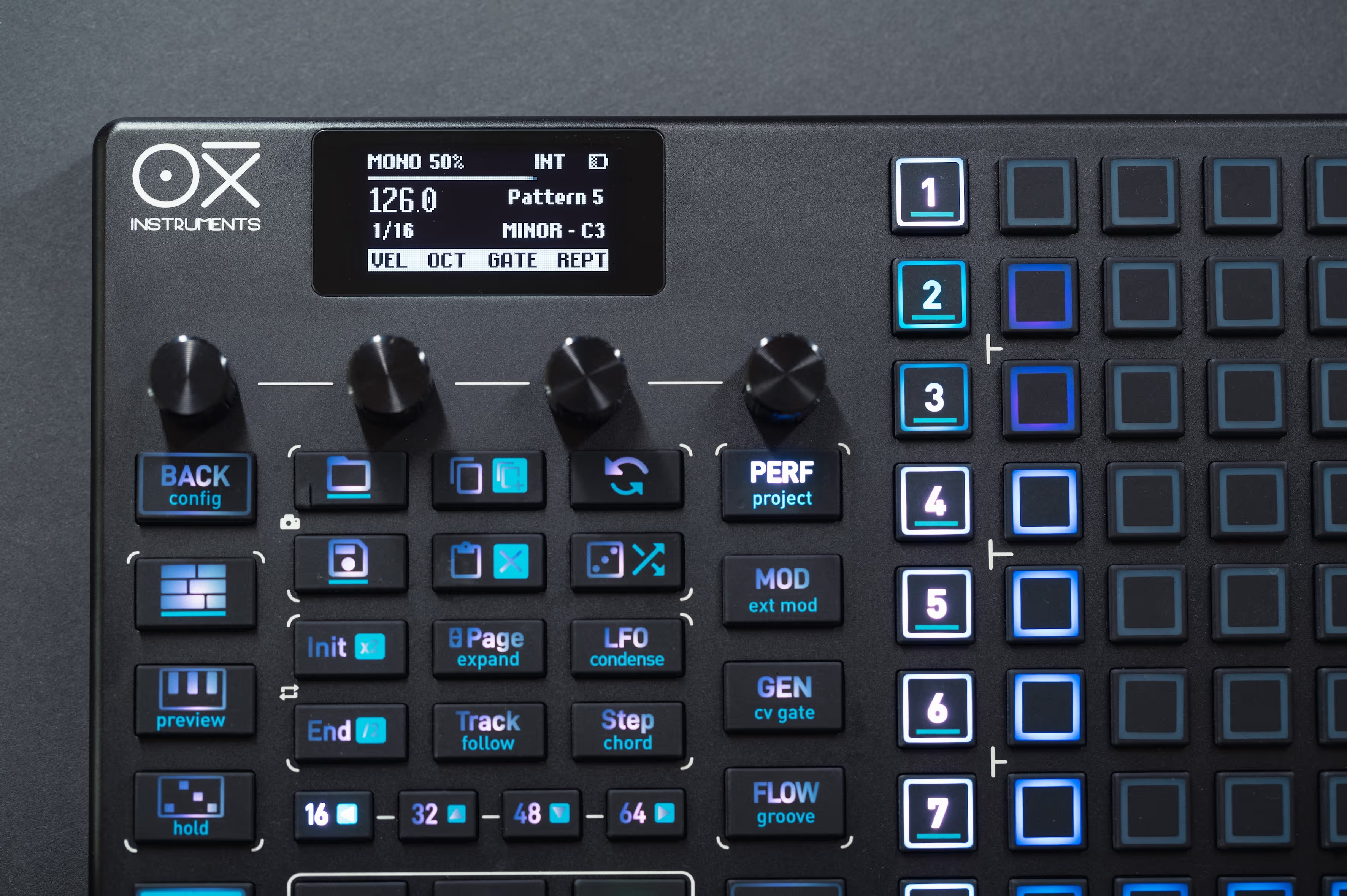
At the very top, we now find the PERF/project button. Clicking this button takes us to the new Performance Mode, another very powerful tool where we can mute tracks directly via the grid and also transpose them in real time. The second function takes you to the Project Settings.
The MOD/ext. MOD button now provides direct access to the internal and external modulation section, which has been significantly enhanced through numerous updates and now offers two LFOs and eight programmable modulation tracks per sequencer.
The GEN/CV Gate button provides access to a wide range of generator options, and the secondary function allows us to easily adjust the Control Voltage and Gate assignments.
The latest new button, FLOW, is sure to be of great interest to our live performers. It provides access to the new FLOW engine. Essentially, you can think of this feature as a pre-programmed fill. By holding down the FLOW button, you create additional events over the existing pattern, and these events are only played back if the FLOW button is still pressed during playback.
The button's secondary function takes you to the groove machine, which allows you to adjust the rhythmic timing of the tracks. It's even possible to create your own groove templates and share them with other users.
Finally, the OXI One MKII comes with enhanced performance tools, such as the new Accumulator and Repeat engines, which can be used to create dynamic, constantly evolving patterns and complex rhythmic structures. Furthermore, it also offers advanced creative tools, such as arpeggiators with over 15 modes and a wide range of options.
And with my ice pick, I'm just scratching the surface, because if I had to list all the news in detail, this list would probably become outdated as soon as I read it, which brings us to the next point.
OXI Instruments' update policy
Even during my initial OXI One test, I was struck by the manufacturer's impressive update frequency. It's truly remarkable how quickly OXI Instruments responds to customer requests while simultaneously implementing the usual bug fixes.
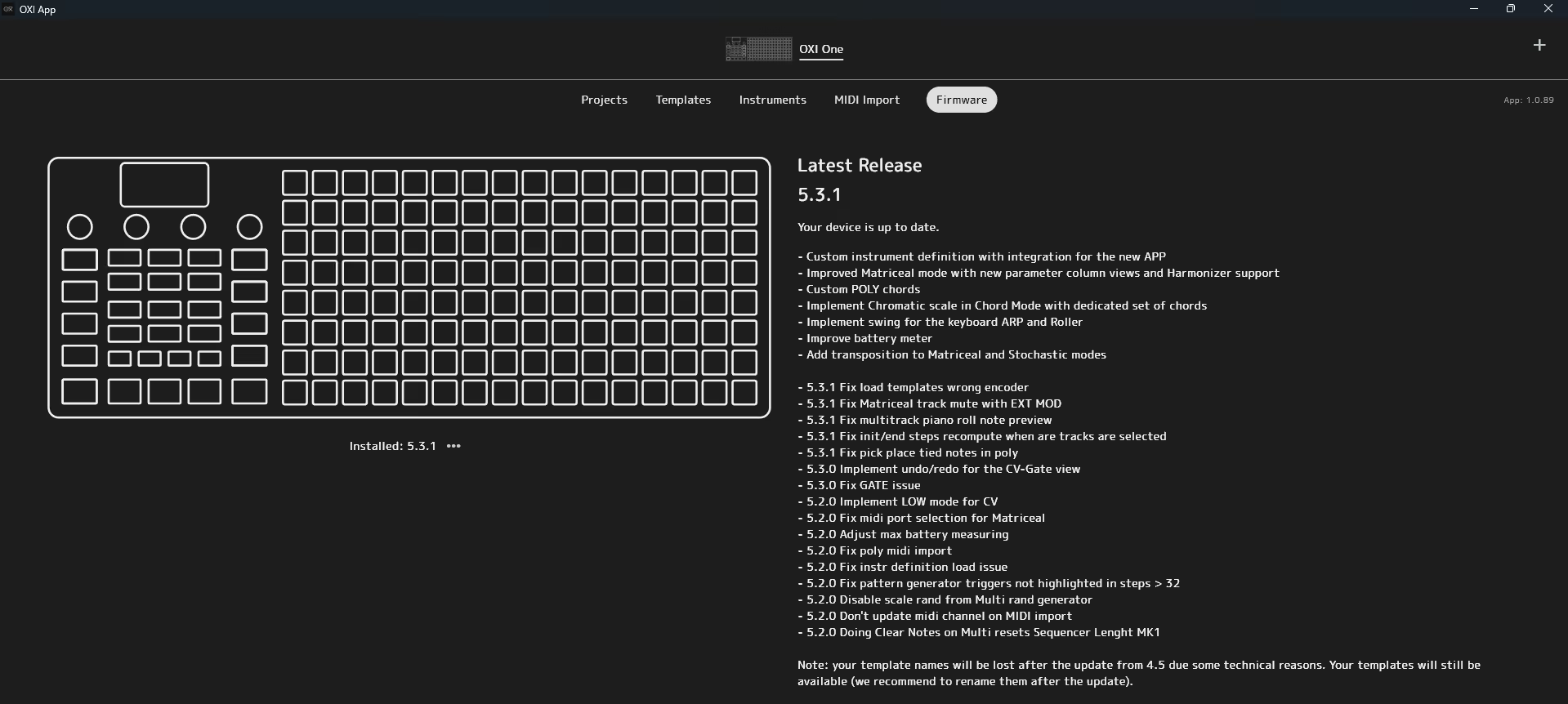
This hasn't changed with the first-generation OXI One either, which has been upgraded from firmware version 3.7 to version 5.3.1 [since his review on Amazona.de the firmware has been updated to 5.4.1] Through numerous updates, the modulation section and especially the matrix sequencer have been significantly enhanced.
The OXI One MKII is also receiving updates at this rate. Of particular note in this context is the new OXI app, which has been significantly expanded.
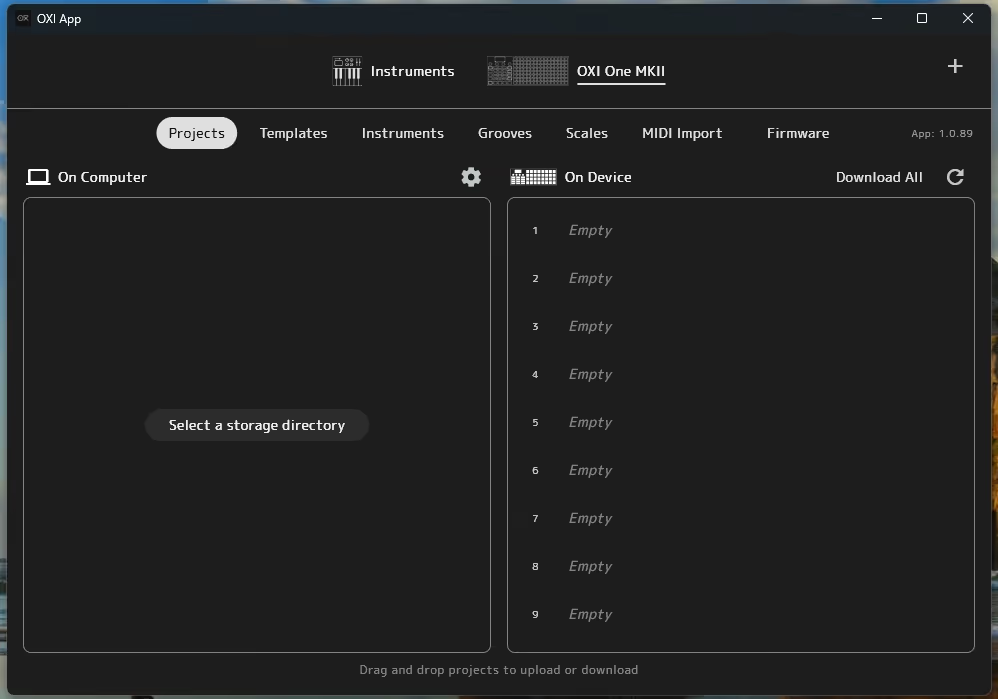
With it, you can manage projects and perform backups, exchange templates and instrument CC definitions between PC/Mac and OXI One MKII, and create scales and grooves.
It's also cool that you can now import MIDI files. However, there are currently a few limitations, so this feature is only really useful for importing externally created patterns.
The app is absolutely essential for firmware updates, which then proceed quite simply. The OXI One MKII must be put into USB device mode in the settings and then restarted in update mode (restart while holding the MUTE button). After that, simply initiate the update process in the app, and you're done. Our test unit is now up to date.
Accessory 1 for the OXI One MKII: OXI Pipe MKII
Just like with the first-generation OXI One, OXI Instruments also offers corresponding accessories for the MKII. Our Eurorackers will be pleased. The OXI Pipe MKII Eurorack breakout module provides a cable-crawl-free connection to the Eurorack format.
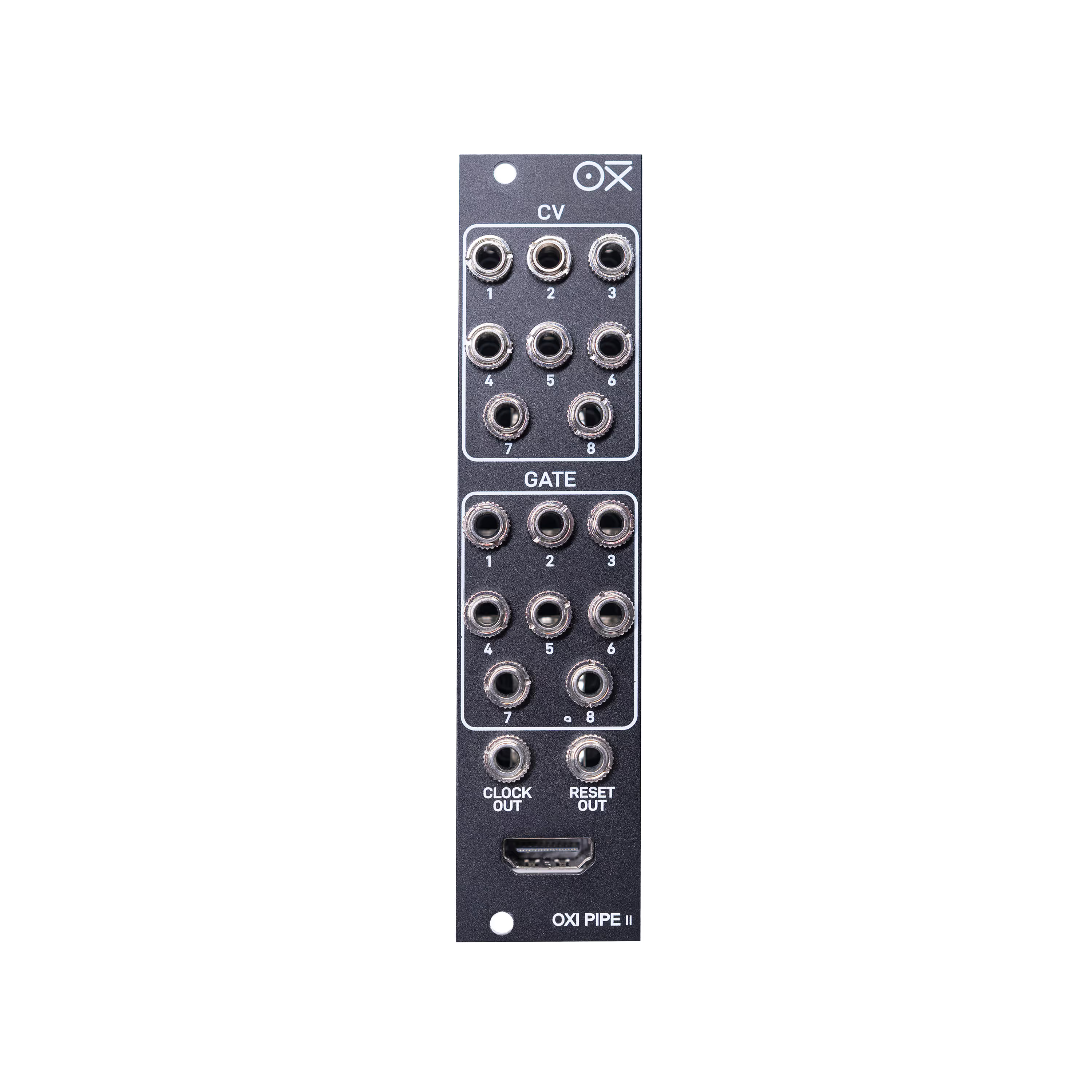
The module, measuring six modules wide and 10 mm deep, requires no power supply and connects to the OXI One MKII via an included miniHDMI-to-HDMI cable. This cable carries all eight CV and eight gate outputs, as well as the reset and clock outputs of the OXI One MKII, into the Eurorack modular system, saving 18 cables and creating a tidy workspace.
A small hint for OXI Pipe Version 1 owners: If you want to use the module for the OXI One MKII, you will need to get a suitable miniHDMI to HDMI cable, because the old module came with a microHDMI to HDMI cable that only fits the OXI One.
Accessories 2 and 3: OXI Split 2 and OXI Split 2HP
We already described both accessories in our detailed news report, so here is just a brief overview of their functionality.
The OXI Split 2 is a dedicated MIDI breakout box and the easiest way to connect multiple MIDI devices, such as synthesizers or drum machines, to the OXI One. This compact unit offers two MIDI DIN outputs and four MIDI TRS outputs, increasing the data transfer capacity and the number of MIDI channels to up to 96.
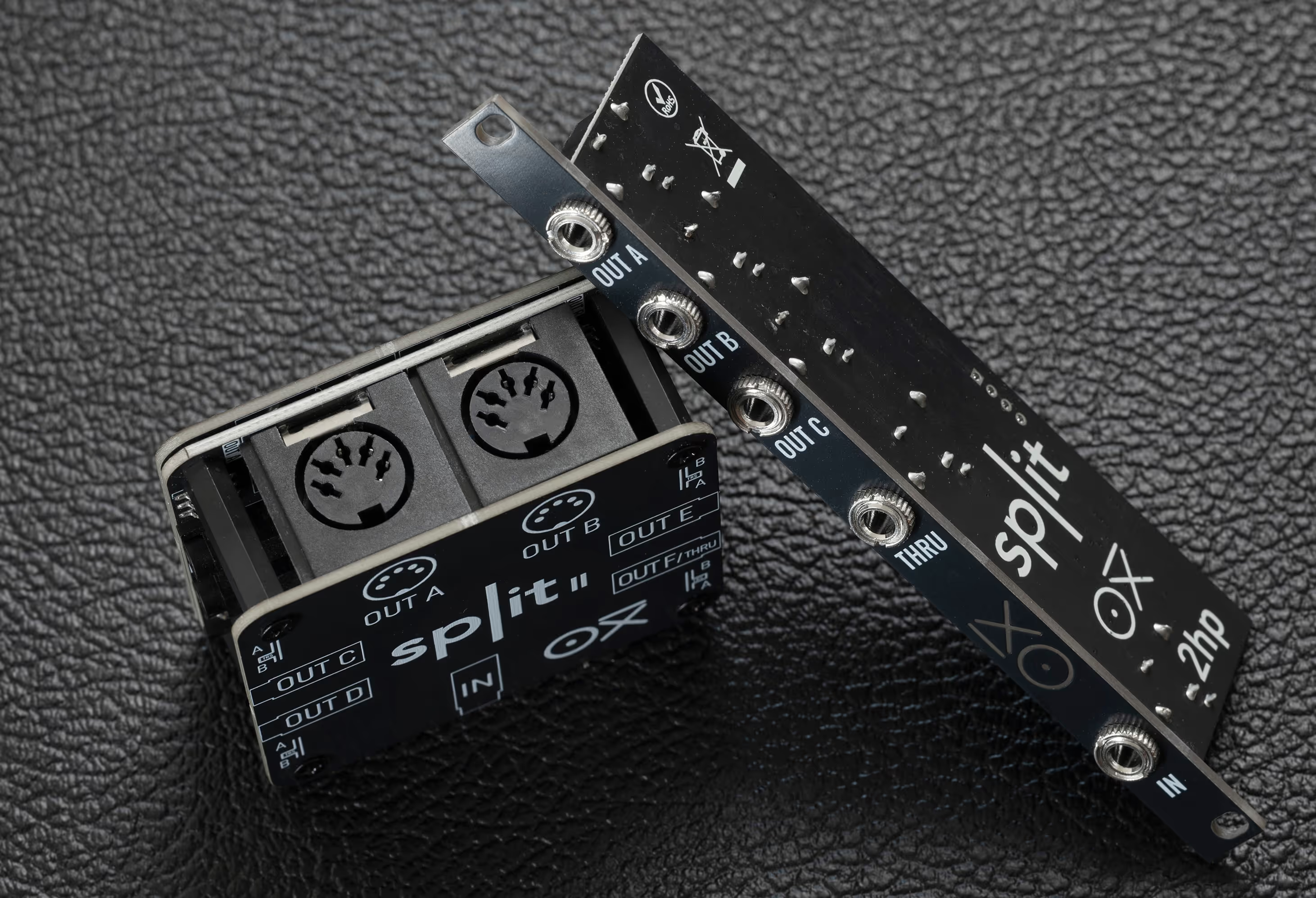
The OXI Split 2HP is a MIDI breakout module for Eurorack. This two-module-wide Eurorack module, with its 27 mm mounting depth, is perfectly suited for mobile Eurorack users and, as a passive module, consumes no power.
This device offers three MIDI outputs in TRS Type A format for up to 48 MIDI channels. This handy little helper is also compatible with the first version of the OXI One.
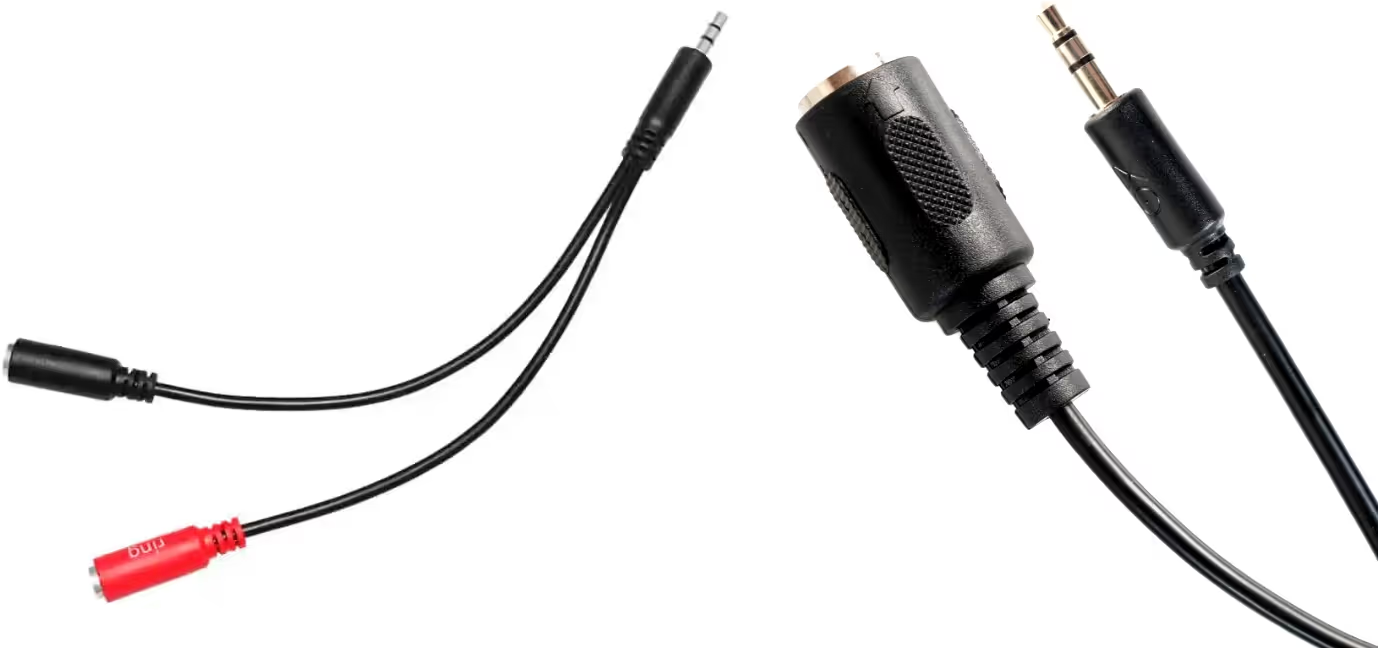
The accessory set is completed by two cables. The OXI Instruments TRS to Dual TS (stereo to 2x mono) splitter cable allows start and clock signals to be transmitted via the 3.5 mm TRS jack of the OXI ONE. The signal is split to two separate mono jacks.
The TRS-to-DIN5 clock adapter cable connects the Oxi One MKII to DIN Sync devices, allowing synchronization in both directions.
Operating the OXI One MKII
As a long-time OXI One user, I immediately felt comfortable with the OXI One MKII and, more importantly, found my way around it easily. I also had the feeling that the operation of the OXI One MKII now feels even more direct, fluid, and smooth, but of course, that could just be my subjective impression.
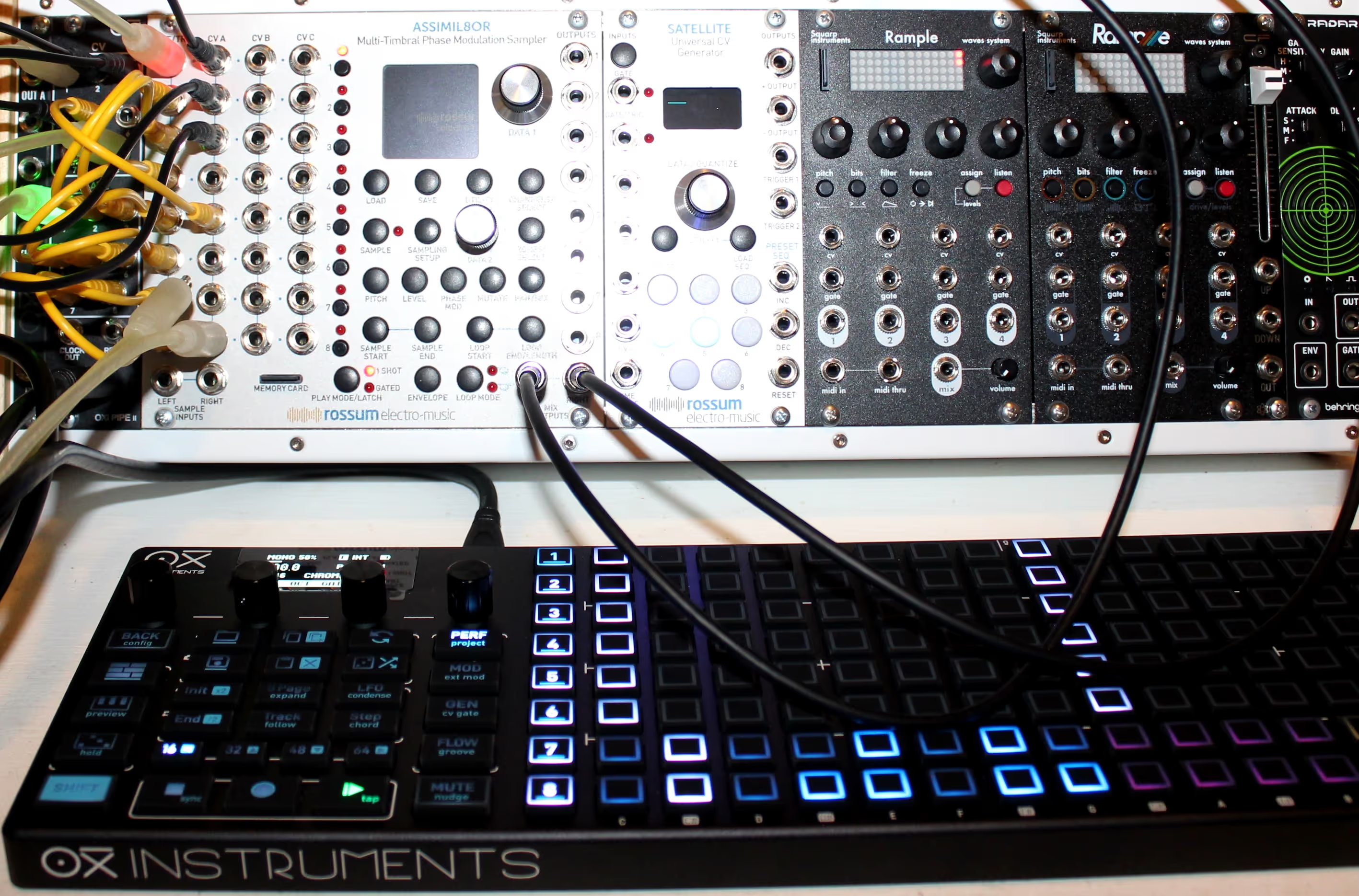
I had a lot of fun with the Performance mode. It's also great for testing how the arrangement could develop further. The new Flow mode is really cool, too. I can easily imagine how much our live performers will love it. I definitely need to delve deeper into the Accumulator and Repeat engines; they're a creative time sink like no other. It's truly impressive what these tools can achieve with just a single step.
Here and there, the new device presented minor workflow hiccups, along the lines of: "Hmm, that was different on the OXI One?" But a quick glance at the manual was all it took, and I easily navigated around these pitfalls in the future. These changes were generally based on customer requests, who usually have an optimization of their workflow in mind, and for that reason, these small adjustments make perfect sense. Afterwards, you might ask yourself: "Yes, of course! Why not like that from the start?"
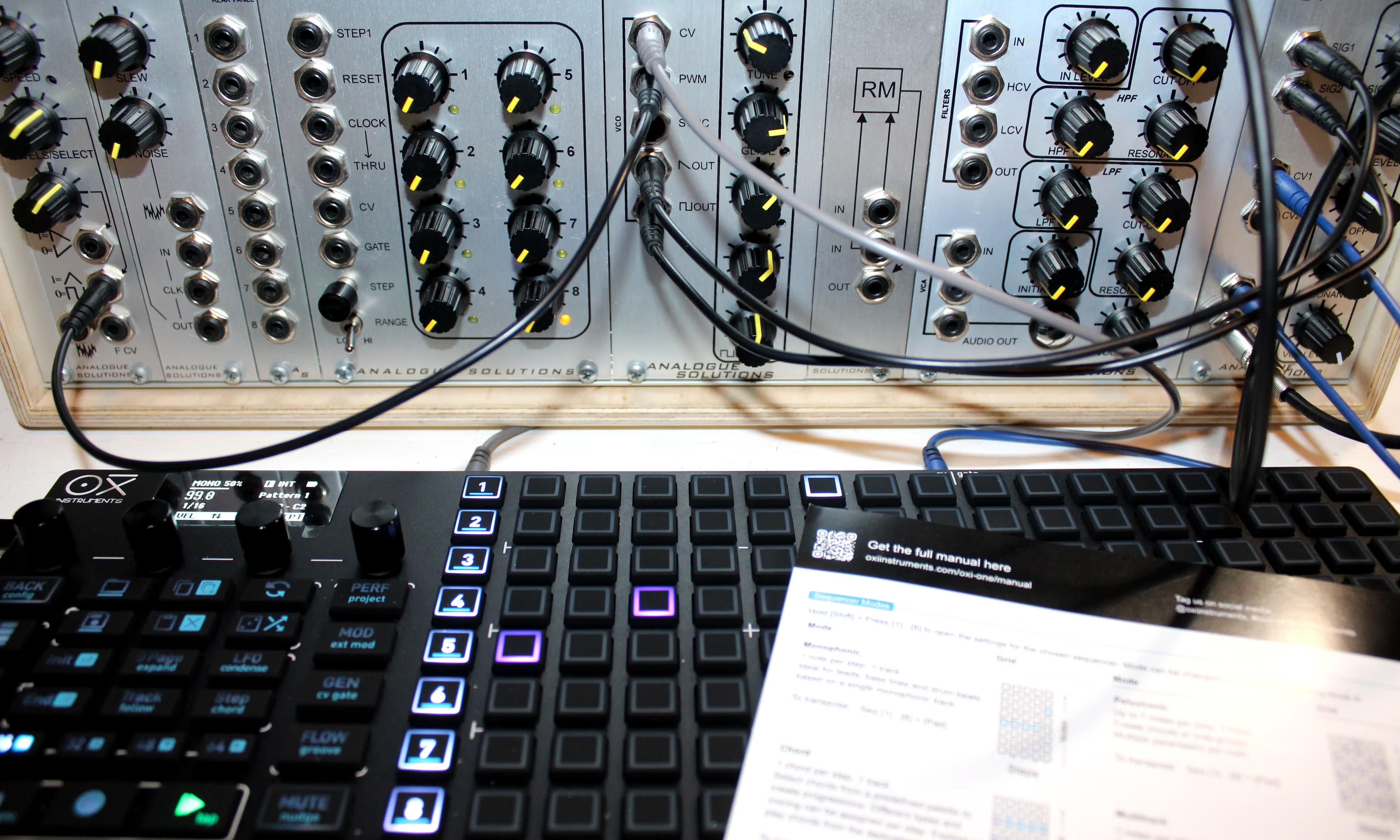
New users, of course, won't have these problems. They'll take their first steps with the included Quick Start Guide and quickly master the basic operation. As they progress, the comprehensive manual will become their constant companion.
In other words: The Oxi One MKII's almost self-explanatory and very well-structured user interface makes initial success very quick. However, if you want to fully exploit or even completely tame this feature-packed device, you will have to delve deeply into the manual.

But don't worry, the OXI One MKII doesn't hinder our creative endeavors. You'll only need to go through these advanced learning steps once, twice, maybe three times before you've internalized them, because they're simply logical. I can promise you: this small initial effort is definitely worth it. The OXI One MKII practically grows with your progress, opening the gates to a fantastic sequencer world with an incredibly high fun factor. See you!
Conclusion
To return to the initial questions: The OXI One MKII does indeed improve upon its predecessor in almost every respect! Those who don't need this and are satisfied with the first-generation OXI One, and perhaps don't even fully utilize its capabilities, don't need to consider buying the OXI One MKII, especially since the first generation is still receiving regular firmware updates.
But for those whose mouths water at the "more" of sequencer slots, internal and now also external memory, the new performance mode, the more direct operation and the many, many other innovations, then feel free to grab this one. This applies to old OXI hands as well as readers who devoured this review and the review of the first-generation OXI One.
The OXI One MKII is a superbly crafted sequencer powerhouse with phenomenal connectivity and a breathtaking feature list that will appeal to composers and live performers alike. I wholeheartedly recommend it!

THANK YOU Dirk for the fantastic comparison review. Read more of Dirk's reviews on Amazona.de